On Analogue and Print
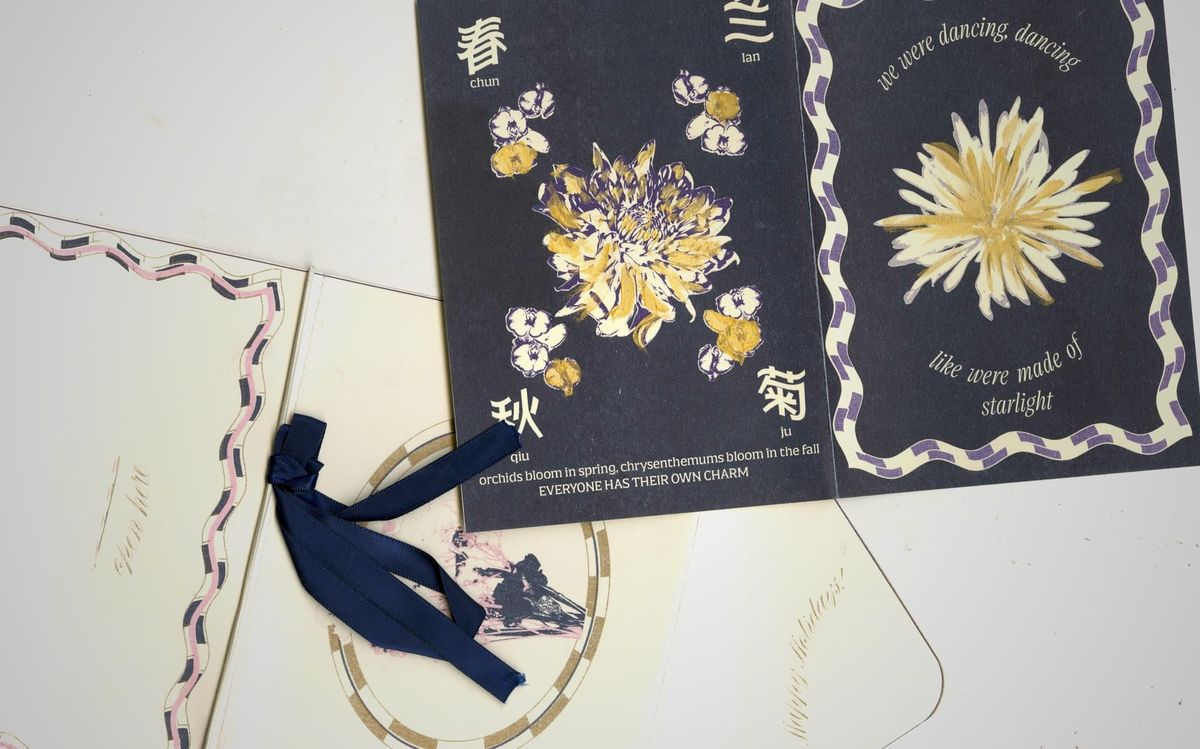
A medium-curious designer and illustrator on the constraints of risograph printing and signalling in design today.
I've been thinking a lot about the paradox of print and design. Well, it wouldn't be considered a paradox exactly, but stay with me for a bit.
Elizabeth Goodspeed – amazing art director and writer, recently wrote an article on ItsNiceThat, called "Faking ‘realness’ on a computer doesn’t get us anywhere new.” ( I really do recommend reading it, such a great writer)
In the article, Goodspeed discusses how analogue markers – hand-drawn typography, film grain from film development, roller marks, crumpled pages, paper, and more have become commonplace in graphic design today. Goodspeed writes that these have become vernacular in design in the age of digitisation and AI-generated images and content.
Another interesting point Goodspeed makes is that this cycle has happened before. When photography became widely available in the 1980s, photographers lost their technical authority over the craft as easily automated photography became widely available. Photographers began pivoting towards older, more involved processes such as (insert).
Beyond these analogue and process markers being intentionally left in the final iteration of a product or branding campaign, Goodspeed also notes the proliferation of texture packs that easily mimic analogue media among (mostly) digital creatives. Look them up, you'll find them easily – risograph texture packs, scan textures, page textures and more. I've grappled with the idea of making my own or using my own for different projects. Yet, much like the designers Goodspeed writes about – I'm not labouring over hand-drawn posters – these markers don't signal much beyond a nod to craft and process. These signifiers don't mean much, since they're replicated numerous times across prints and on screens, which adds another layer to the paradox.
Back to the risograph. I've been in the process of creating illustrations for a project I'm working on. The final project is a printed artists' book. Throughout the process of picking colours and sketches for the illustrations, the constraints of risograph printing have been persistently niggling in the back of my brain.
Where does the risograph process stand in the grand scheme of things? Is it more analogue or digital, or does it position itself as the apex between both? One could perhaps argue that it is more analogue, as it really can only produce analogue products. Using the risograph printer is also a physically involved process that requires technical skill and experience. A typical print session on the risograph involves manually changing the ink colour drums in the printer once or twice, depending on how many masters you were making that day. After installing the ink drums in the machine, the design is sent to the printer that (thankfully) digitally creates a master on the colour drum. Paper is loaded into the paper feed, and trial copies of the first colour can be printed. The master-making process is repeated for the second colour as well.
Then comes the registration process. Although the printer may hold ink drums in the same location, the ink colours themselves aren't always perfectly aligned to print seamlessly over each layer (they usually aren't). Wear and tear on different ink colours, the pigment makeup of different inks, all add variability to the risograph printing process. The next step in creating a multi-colour risograph print is then registering the colours. Using the position alignment buttons on the console, the ink drums in the machine can be manually adjusted in half-millimetre increments in different directions to align with each other. This leads to another round of trial prints, adjusting ink densities, measuring alignment, and taking note of the different options before settling on the best option. There are, of course, instances where perfect alignment isn't attainable.
To safeguard against this dreaded scenario of obvious misalignment, designers often add design elements to the print file to prevent it. Much like traditional printmaking processes, designers have to account for bleed and overflow – borders around the page in the event the page is trimmed (especially when making books), and it reveals more of the page than was intentionally designed for. Many have taken to adding analogue elements, such as grain (like a film photograph's grain) or noise, gaussian blur on the edges of elements to soften them, or halftone separation (CYMK separation, like inkjet printers) to combat misalignment from becoming glaringly obvious.
On the other hand, one could argue that risograph is more digital than analogue. It is typically introduced to novices as "digital screenprinting", implying that the labour-intensive process of creating a silkscreen print is removed when one opts to use the risograph. The colour-separated print layers are still sent to the printer through computer software (Adobe, monopolised). All text and images included in these files have been processed and handled digitally, through the fonts used by the designer, the photographs used to illustrate the print, etc. Even if the images were once analogue, created using paint, ink and pencils, they had to be scanned or photographed to be digitally translated, manipulated and scaled on a computer before being sent to the risograph.
Each colour separation process for the risograph can be done in a multitude of ways. Beyond the tools already associated with digital image manipulation (Photoshop), risograph aficionados often use the app, Spectrolite, for colour separation purposes. Spectrolite, developed by anemone, an artist initiative by Amelia Greenhall and Adam Greenhall, helps process designs and images into different colour-separated layers, depending on the colour palette of risograph colours selected.
Many risograph studios in New York City require a certification to print and use the risograph machines in their workspaces. This is usually done in-house, and one typically has to be approved by a technician to use the risograph as they plase